No internet needed. Runs smoothly on your Windows PC with 100% private local storage, lightning-fast barcode billing, smart serial & IMEI warranty tracking, and instant thermal receipt printing.
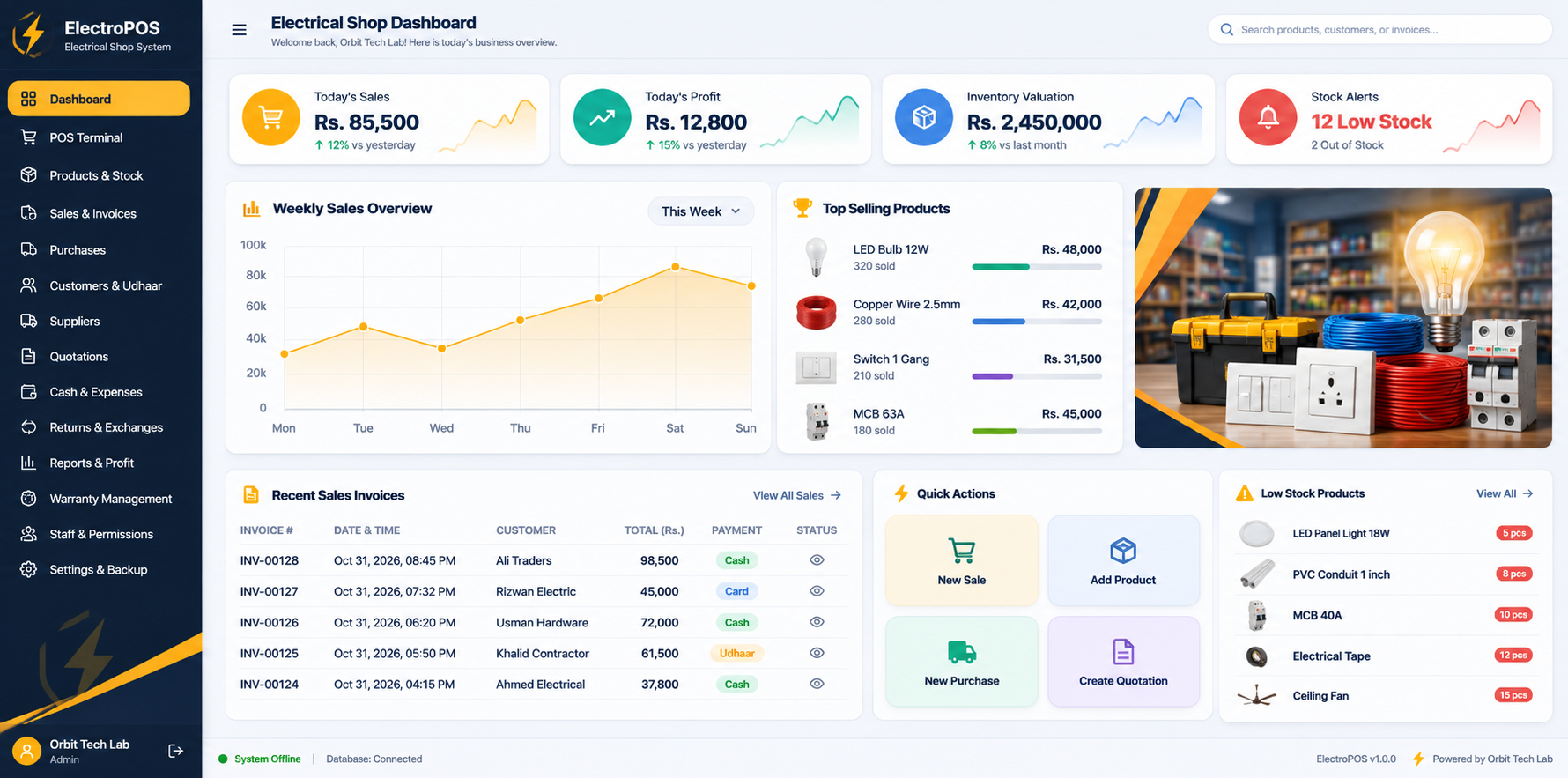
Purpose-built for retail electrical shops, mobile & computer marts, and electrical appliance retailers.
Auto-focus input with zero mouse interaction needed. Scanned barcodes add to cart in under 5ms.
Record serial/IMEI numbers per unit. Instantly verify warranty validity when customers return with broken goods.
Keep running khata balances for contractors and regulars. Track exact outstanding dues and collect partial payments.
Enter distributor delivery challans, update wholesale purchase costs, and auto-increment stock counts in one step.
Record shop rent, electricity bills, and tea refreshments. Reconcile opening cash float vs physical cash in drawer.
Never worry about hard drive failure. Export your entire customer ledger and stock history to any USB flash drive.
Connect your standard USB and wireless retail hardware. Zero complex setup required.
Auto-focus HID input. Simply point and scan items into the cart in under 5ms.
Silent direct spooling for 80mm & 58mm rolls without noisy browser print dialogs.
Print crisp Code128 adhesive price and serial stickers directly from your catalog.
Triggers drawer kick-out pulses upon checkout finalization to safeguard cash float.
Why hardware and electrical marts avoid cloud POS subscriptions.
| KEY REQUIREMENT | ELECTRO POS (OFFLINE) | GENERIC CLOUD POS |
|---|---|---|
| Works Without Internet | 100% Always Active (Zero downtime) | Stops completely when network fails |
| Billing & Barcode Speed | Instant (< 5ms) local processing | Slow latency & loading spinners |
| Data Privacy & Security | Stored safely on your own shop PC | Held hostage on 3rd-party servers |
| Pricing & Cost Structure | One-time setup (Zero monthly fees) | Expensive recurring monthly fees |
| Receipt Printing Spooling | Silent direct spooling (No popups) | Annoying browser print dialog every bill |
Download the complete setup file for Windows 10 & 11. Installs easily with a desktop shortcut so you can start billing immediately.
ElectroPOS Setup 1.0.0.exe (Windows 64-bit)
Safe setup file. Double-click the installer on your PC to create your desktop shortcut.
Download the setup installer to your computer.
Open the installer and follow the simple on-screen instructions.
Double-click the desktop icon and start serving customers offline!